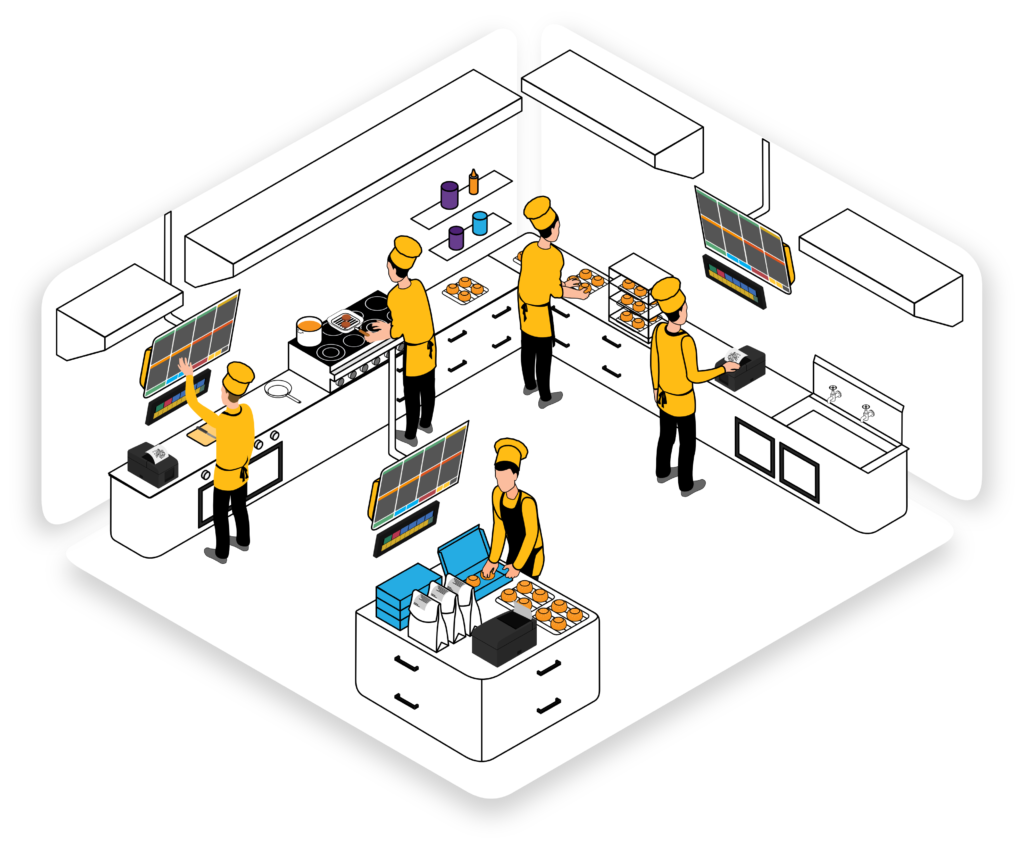
The restaurant industry stands at a technological crossroads. Modern POS systems, kitchen display screens, self-service kiosks, online ordering platforms, and mobile payment tools have become essential to competitive success. Yet many restaurants struggle not with technology selection, but with the critical challenge of getting their staff to effectively use it.
Technology adoption in restaurants fails not because the tools are inferior, but because staff weren't properly trained, felt overwhelmed by change, or didn't understand the "why" behind new systems. A brilliantly designed POS system in the hands of untrained staff becomes a frustration generator rather than an efficiency multiplier.
Building a truly tech-savvy restaurant team requires more than handing staff an iPad and hoping for the best. It demands intentional training strategies, ongoing support, and creating a culture where employees embrace digital tools as enablers of their success rather than threats to their jobs.
The Current State of Restaurant Digital Skills
Despite living in a digital world, many restaurant employees arrive without adequate technology skills. Research shows that only 40% of restaurant workers have used POS systems before, and most have never worked with kitchen display systems, inventory management software, or customer engagement platforms.
Additionally, restaurant work often attracts workers from diverse educational backgrounds and varying levels of technology comfort. What's intuitive to a tech-native Gen Z employee might seem completely alien to a career hospitality professional who's worked with paper systems for decades.
"When we implemented our new POS system, we initially faced significant resistance. Staff complained about slowness, complexity, and missing features. But after investing proper training time—with system experts on hand during the first week—team members not only accepted it, they started finding features that actually made their jobs easier. The transformation happened once they understood the system." - Restaurant Manager
This shift from resistance to advocacy happens through effective, thoughtful training strategies.
Why Restaurant Staff Training is Critical
Impact on Customer Experience
Undertrained staff create poor customer experiences. Slow POS transactions, incorrect orders, payment confusion, and frustration with technology directly impact customer satisfaction and likelihood of return visits. First impressions matter enormously in restaurants, and technology frustration creates lasting negative impressions.
Operational Efficiency
Technology only delivers efficiency when users know how to leverage its full capabilities. Untrained staff use maybe 30% of available features, missing opportunities for faster service, better data capture, and improved workflow management.
Reduced Costs
Well-trained staff make fewer errors, waste less time troubleshooting, require less management supervision, and stay longer in their positions. The costs of high turnover, training replacement employees, and fixing preventable errors from untrained staff far exceed the investment in comprehensive initial training.
Employee Confidence and Satisfaction
Employees who feel confident using their tools experience less stress, take more pride in their work, and report higher job satisfaction. Technology training isn't just about system mastery—it's about empowering employees to do their jobs better and feel more capable.
Understanding the Technology Resistance Barrier
Before diving into training strategies, managers must understand why employees resist new technology. It's rarely about the technology itself—it's about fear of change:
- Fear of job loss: Employees worry that automation will eliminate positions. Clearly communicate how technology frees them from routine tasks to focus on customer service and more rewarding work.
- Fear of complexity: "I'll never understand how to use this" is a common concern. Demonstrate that the learning curve is manageable and support is available.
- Fear of looking incompetent: Older employees especially fear appearing foolish or slow compared to younger coworkers. Create training environments where mistakes are acceptable and learning is celebrated.
- Loss of autonomy: New systems may change familiar workflows. Acknowledge valid concerns about process changes while explaining efficiency gains.
- Distrust of management: Previous negative technology experiences create skepticism. Build trust through transparent communication and keeping promises about support and simplification.
Effective training acknowledges and addresses these fears rather than dismissing them.
Core Components of Effective Training Programs
1. Comprehensive Pre-Training Communication
Before training begins, set expectations and build excitement:
- Announce upcoming change: Give at least 2-3 weeks notice before implementation. Sudden surprises breed resentment.
- Explain the "why": "We're implementing this system to reduce your paperwork, speed up transactions, and improve our accuracy. This means faster shifts, fewer errors, and better customer interactions."
- Outline timeline: Provide clear schedule for training, go-live date, and support periods.
- Address concerns: Hold meetings where staff can ask questions and voice concerns. Management listening to worries builds trust.
- Share success stories: Show examples of other restaurants whose teams successfully adapted and benefited from similar systems.
2. Tiered Training Structure
Different roles require different training levels. Don't train entire teams identically:
- Manager/Supervisor Training (First): Managers learn first—ideally 1-2 weeks before staff training. They must understand all features deeply to support staff and troubleshoot issues. Include administrative functions, reporting, customization, and user management.
- Operational Staff Training: Cashiers, servers, and order-takers focus on their specific daily tasks. Include detailed walkthroughs of processes they perform repeatedly.
- Kitchen Staff Training: Focus on kitchen display systems, order acceptance, item modification handling, and completion marking. Kitchen teams have different needs than front-of-house.
- Specialized Training: Inventory managers need inventory-specific training. Shift leads need additional reporting and troubleshooting skills.
3. Hands-On, Scenario-Based Learning
Lecture-style training is largely ineffective. Modern training should be interactive and scenario-based:
- Sandbox Environment: Use test systems where staff can practice without affecting actual operations. Practice entering orders, processing modifications, handling refunds, and various payment types.
- Role-Playing Exercises: Simulate realistic scenarios: difficult customers, split checks, special requests, system errors. Practicing difficult situations builds confidence for real circumstances.
- Video Demonstrations: Short, focused video tutorials (2-5 minutes) showing specific tasks. Staff can replay videos repeatedly without feeling rushed.
- Quick Reference Guides: Laminated pocket guides with step-by-step instructions for common tasks. Employees should be able to reference guides during work without judgment.
- Interactive Workshops: Group training sessions where staff troubleshoot problems together and learn from peers.
4. Adequate Training Duration
Rushing training is a common—and costly—mistake. Effective technology training requires time:
- Minimum 8-16 hours per employee: For complex systems like comprehensive POS platforms, allocate 2-4 days of 4-hour training sessions spread across a week.
- Overlap with current systems: Run old and new systems simultaneously for 1-2 weeks. Staff learn new system while maintaining service levels with familiar backup.
- Ongoing learning: Training doesn't end at go-live. Allocate 30-45 minutes monthly for advanced feature training and refresher sessions.
- Mentorship periods: Pair experienced employees with struggling learners. Peer mentorship is often more effective than trainer instruction.
5. Expert Support During Go-Live
The first days of live implementation are critical. Deploy system experts on-site:
- Week 1: System specialist or vendor representative on-site full-time during all shifts, troubleshooting issues and providing real-time guidance.
- Week 2: Expert on-site during peak hours; staff becoming more independent.
- Week 3-4: Remote support available; staff should handle most issues independently.
- Ongoing: Designated on-site power users trained to handle common issues; vendor support for complex problems.
Budget for this support. The cost of 2-4 weeks of expert on-site support is minimal compared to months of inefficiency from poorly trained staff.
6. Reinforcement and Ongoing Development
Initial training is just the beginning. Reinforce learning and continuously develop skills:
- Regular skill assessments: Periodically test staff knowledge. Identify gaps and provide targeted remedial training.
- Advanced features training: Once basics are mastered, introduce powerful features many staff miss: advanced filtering, custom reports, loyalty integration, etc.
- Cross-training: Expose all staff to systems they don't use daily. Helps them understand other roles and provides backup capability.
- Performance feedback: During initial months, provide constructive feedback on system usage and error patterns. Coach toward best practices.
- Celebrate achievements: Recognize staff members who master new skills and become internal experts. This builds peer enthusiasm for learning.
Addressing Specific Training Challenges
Technology Phobia
Some employees genuinely fear technology. Approach with patience and empathy:
- Avoid jargon and technical terminology
- Break complex processes into small, manageable steps
- Celebrate small victories and progress
- Provide one-on-one coaching rather than group training for severely anxious employees
- Identify peer mentors who are patient and good communicators
- Offer flexible scheduling to allow extra training time without pressure
Language Barriers
Many restaurant employees have limited English proficiency. Accommodate language diversity:
- Use visual demonstrations and hands-on practice over written materials
- Provide training materials in employees' primary languages when possible
- Hire translators for initial training sessions if needed
- Use pictures and icons in quick-reference guides instead of words
- Pair employees with same-language peer mentors
High Turnover
Restaurants face constant staff turnover. Build training for continuous flow:
- Develop "on-demand" training modules for new hires
- Designate training specialists for faster onboarding
- Create video-based training for independence and flexibility
- Maintain detailed training documentation
- Front-load training for new hires (first week, multiple sessions)
Disparate Technology Comfort Levels
Training the digitally native alongside technology-averse employees requires flexibility:
- Assess technology comfort before training; create cohorts of similar proficiency
- Offer basic computer skills remedial training for those who need it
- Allow advanced learners to move faster; don't hold them back
- Use peer-to-peer mentoring across comfort levels
- Provide multiple learning modalities (video, hands-on, written)
Build a Tech-Savvy Restaurant Team
Restomate provides comprehensive staff training resources and intuitive interfaces designed for rapid learning and adoption
Schedule DemoImplementation Best Practices
1. Start with Enthusiastic Champions
Identify naturally tech-savvy employees or those most open to change. Train them first and deeply. These champions become peer advocates and troubleshooters, making others more confident about adoption.
2. Get Management Buy-In
Managers must actively support new systems and commit to training. If managers seem skeptical or don't use systems themselves, staff will quickly lose confidence.
3. Create Psychological Safety
Establish clear norms that questions, mistakes, and errors during training are expected and acceptable. Create training environments where failure has no consequences.
4. Customize Training to Learning Styles
People learn differently. Some are visual learners, others kinesthetic, others auditory. Provide training in multiple formats to accommodate diverse learning preferences.
5. Gamify and Make It Fun
Turn training into friendly competitions or games. "Speed challenges" to see who can complete transactions fastest (once confident) or "feature discovery" challenges keep learning engaging.
6. Provide Clear Success Metrics
Help staff understand what "good" looks like. Clear metrics for transaction speed, accuracy, customer feedback, and skill mastery give staff tangible goals.
7. Celebrate Early Wins
When staff successfully process a shift with the new system or master a challenging feature, celebrate that achievement. Positive reinforcement drives continued learning.
Measuring Training Effectiveness
Track these metrics to assess how well training is working:
- Transaction Processing Time: Gradually decreasing transaction times indicate improving system mastery
- Error Rates: Monitor transaction errors, voided orders, and POS mistakes—should decline weekly in first month
- Customer Complaints: Track complaints related to ordering, payment, and speed—should decrease post-training
- Staff Confidence Surveys: Ask staff monthly about their comfort and confidence with systems
- Training Completion Rates: Ensure all employees complete required modules
- System Usage Patterns: Advanced features should see increased usage as staff gain confidence
- Staff Retention: Technology-related frustration contributes to turnover; improving training should improve retention
Long-Term Staff Development
Technology training shouldn't be a one-time event. Develop technology mastery as an ongoing competency:
- Career Development Paths: Position system expertise as a career advancement opportunity. "POS Specialist" or "Technology Lead" positions create career motivation.
- Certification Programs: Develop or use vendor certification programs to validate staff skills and advance careers.
- Knowledge Base: Create internal repositories of training materials, FAQs, and troubleshooting guides.
- Regular Updates: When systems receive updates or new features, conduct brief training sessions on changes.
- Cross-Training: Develop deep expertise in multiple systems among some staff, providing flexibility and career growth.
The Bottom Line
In the digital age, restaurant success depends not just on having the right technology, but on having staff who can effectively use it. Technology is only as good as the people operating it.
Restaurants that excel at technology adoption share common practices: they invest adequate time in training, provide ongoing support, create psychologically safe learning environments, celebrate progress, and treat technology skill development as essential to their team's success.
The restaurant managers who build truly tech-savvy teams aren't those with the fanciest systems—they're those who recognize that training is an investment in their team's capability, confidence, and ultimately, their restaurant's competitiveness.
As restaurant technology becomes increasingly sophisticated and essential, the competitive advantage goes to operators who master the human side of technology adoption: empathetic, thorough, ongoing training that transforms skepticism into confidence and resistance into advocacy.
Restomate's user-friendly platform is specifically designed for rapid staff adoption, with intuitive interfaces, comprehensive video training resources, and documentation built for non-technical users. Our success is built on helping restaurants empower their teams to excel with modern technology.